Start in Files.
Add a folder, scan its subfolders, and browse them as albums if you like. Rescan when the collection changes. Removing a folder from Niteload never deletes the original music files.
03 / Listen
In developmentYour folders. Your music. Turn it up.
Choose a folder in Files and make your own collection the centre of the experience. Build a queue, save a playlist, and watch the music move. No Niteload account, no audio uploads—just your files, played your way.
For iPhone & iPad · iOS 17 or later
Underground theme selected
For the music you keep
Niteload plays compatible audio files you add from Files, wherever you got them: albums downloaded from Bandcamp or other music stores, music bought directly from artists, CDs you’ve ripped, and your own recordings. It isn’t tied to any shop or streaming service.
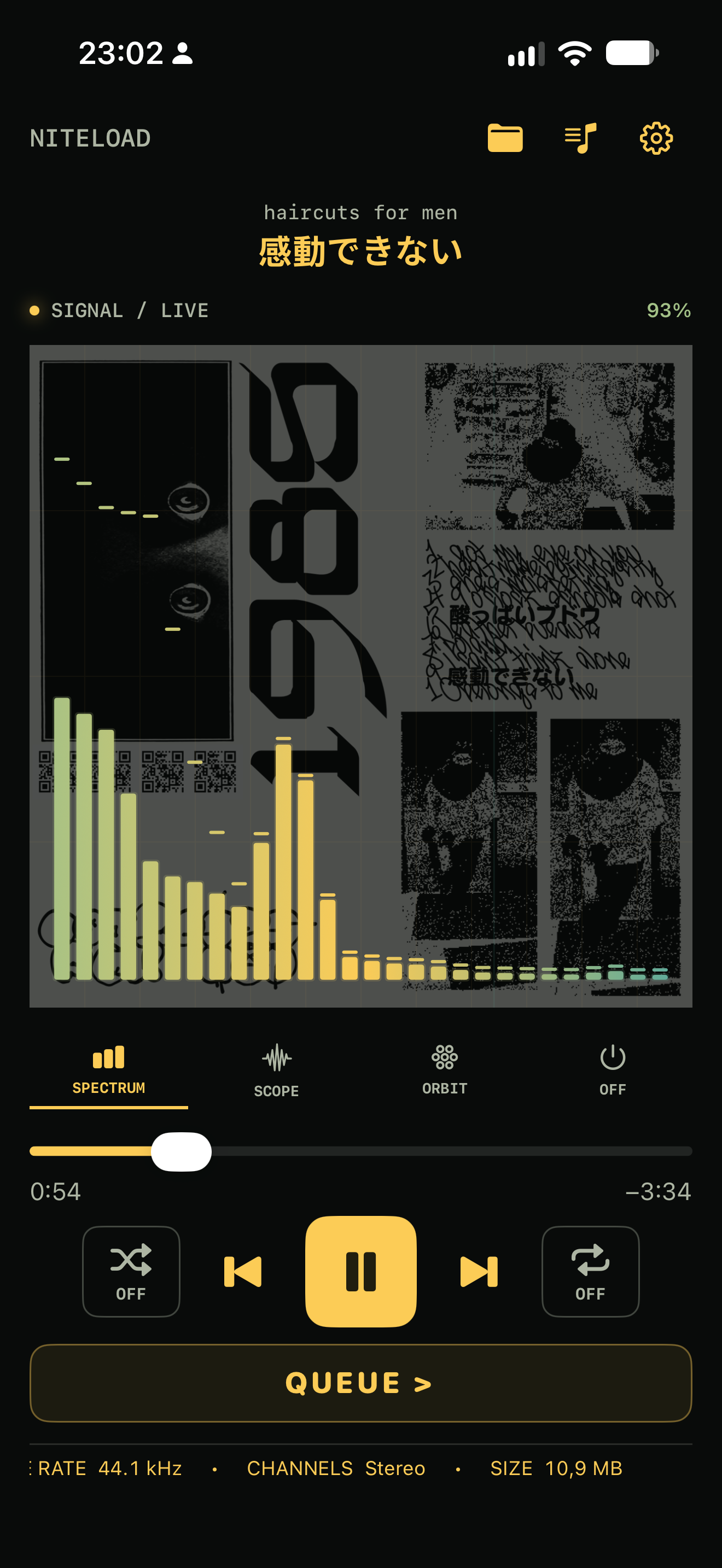
Add a folder and browse its tracks or albums. Niteload displays available cover artwork and reads embedded details such as title, artist, album, and track number, along with technical file information. What you see depends on the artwork and metadata included with your files.
Bandcamp is one example: download an album in a supported format such as FLAC or MP3, unzip it in Files, and add its folder. The same steps work for compatible downloads from other sources.
Niteload imports files through Files; it does not sign in to Bandcamp or other music services.
A home for your collection
For the albums, loose tracks, and discoveries you have chosen to keep.
Add a folder, scan its subfolders, and browse them as albums if you like. Rescan when the collection changes. Removing a folder from Niteload never deletes the original music files.
Save playlists, reorder the queue, and choose repeat or shuffle. Sort by title, filename, date, duration, or disc and track number.
Spectrum, Scope, and Orbit analyse the playing audio and follow its movement. Switch them off when you want nothing between you and the music.
Background audio and Lock Screen controls keep playback close at hand. The iPad layout gives the visualizer more space, with side-by-side controls in landscape.
See format, bitrate, sample rate, channels, and bit depth where available. Niteload reads your files rather than replacing them with a streaming catalogue.
The index, playlists, queue, and artwork cache stay on your device. No Niteload analytics or audio upload. Optional Premium purchases are handled by Apple’s App Store.
MP3 · AAC / M4A · ALAC · AIFF · WAV · FLAC · Ogg Vorbis
Ogg Vorbis is decoded locally. Other codecs in an .ogg container, such as Opus, are not supported by that decoder.A little more atmosphere
The core player comes with Lime on the Wire. An optional one-time Premium unlock adds more ways to set the mood.
From Dial-Up Dusk and Tape to Desktop 98 and Discman Skip. Colour carries through the player, folders, playlists, and visualizers.
Visualizer focus fades the controls and expands the visualizer while playing. Tap to bring the controls back. Cover backdrop places your own folder artwork behind the signal.
Additional display-awake options suit charging, external audio, or active playback. The free app includes Off and While charging.
Niteload is in development for iPhone and iPad. A macOS version is also in development. These features and screens belong to a pre-release build and may change before launch. A public download is not available yet.